People and order
Add signers and assign their roles. With a fixed order, the document is presented to them one after another.

Signing
Assign signers, set their order and prepare document fields. Preview, request and audit trail are together in the signature area.
Discuss the signing process (DE)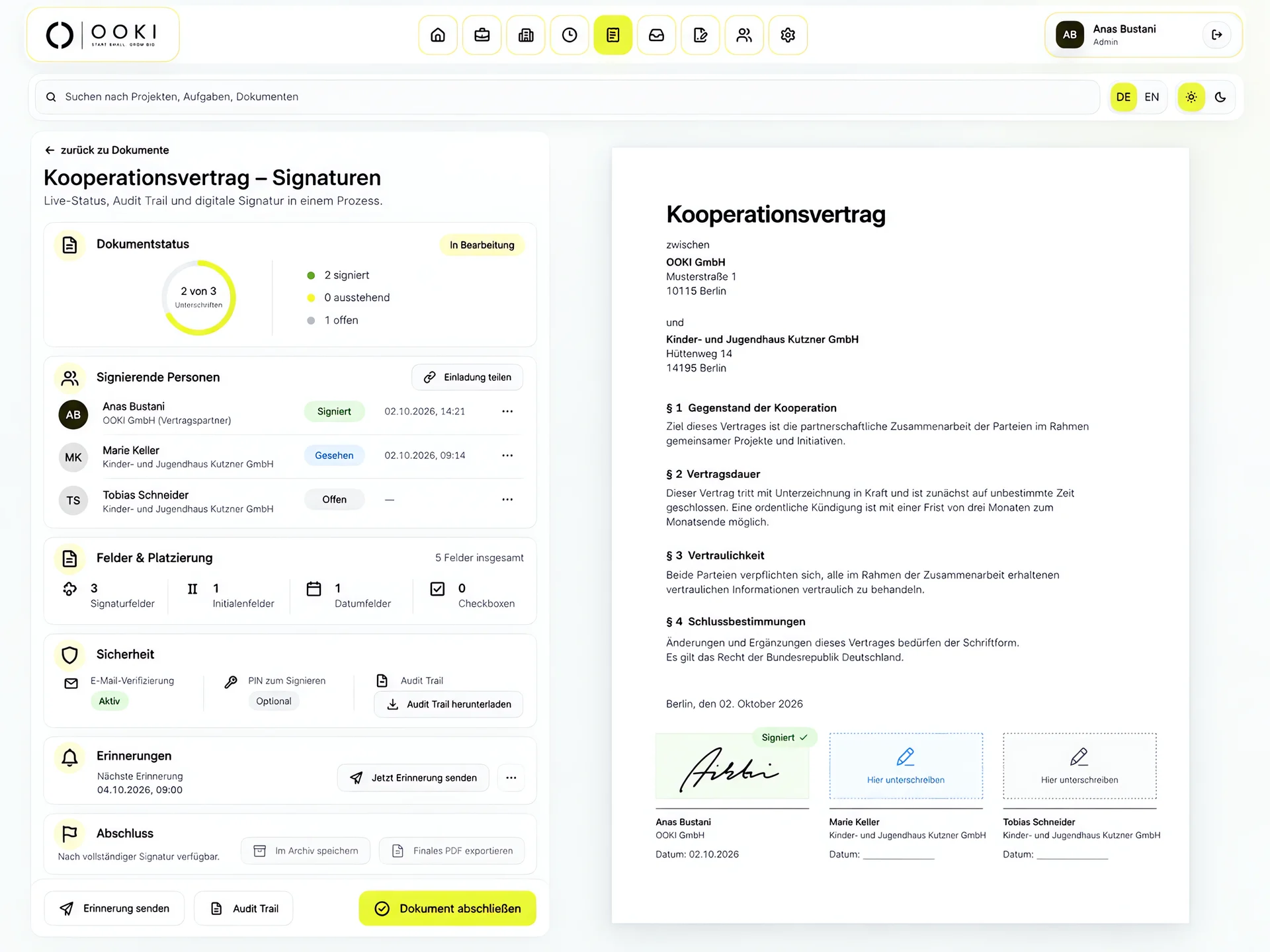
Manage the signing process on the left and view the document on the right. Prepare people and roles, order, signature fields, deadlines and reminders in the same workspace.
Add signers and assign their roles. With a fixed order, the document is presented to them one after another.
Signature, initials, date, checkbox and text fields are available to prepare. Validity and reminders belong to the signing process.
The preview keeps the document visible. The audit trail distinguishes creation, request, opening and signing. The required signature method depends on your document.
Make a document available in the client data room.
Access to a selected document.
Review a project or service status.
A decision within the agreed project process.
Sign a document using a defined method.
A separate process with evidence requirements to clarify.
The signing interface is designed for documents such as consulting or cooperation agreements. Assign signers and prepare fields in the document. Whether an electronic signature is sufficient for a particular contract depends on its legal form requirements.
Set the signers and their roles. Preparation includes a fixed signing order, signature and date fields, deadlines and reminders. Check the final document and recipients before requesting signatures.
The status view shows participants and their individual state, together with outstanding and completed signatures. Reminders and an audit trail support follow-up. You do not have to reconstruct who still needs to respond solely from separate email threads.
No. Project approval may concern a design or service record. A signature request concerns signing a particular document. Decide which action your workflow needs; a signature does not automatically trigger billing.
The sample demo shows a signature request using fictional data. Confirming it does not create a legally binding signature. For your own documents, we discuss the specific signing process in a personal demo.
Describe your use case. We will clarify the appropriate method and process together.
Discuss the signing process (DE)